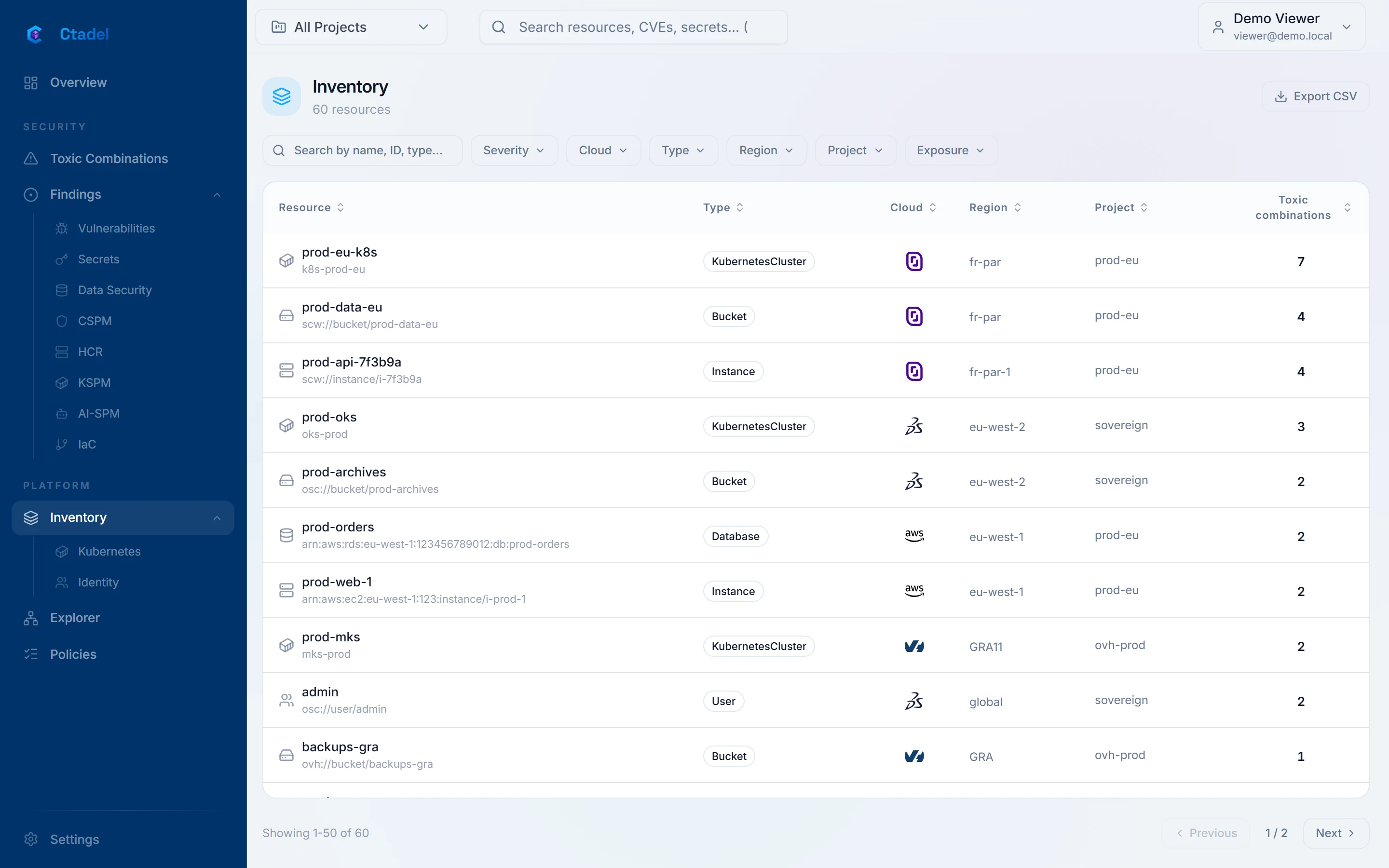
Teams know their cloud, not the others. An administrator identity exists on three clouds without anyone seeing it. Security rules are written three times, differently. A customer questionnaire asks “how many public buckets” and the answer takes a week.
What Ctadel does
The six clouds are inventoried with the same scanners and the same rules, and everything enters one graph. Identities present on several clouds are matched. Accounts and repositories are grouped into projects and folders, and each user sees only their scope.
Unified inventory: instances, storage, databases, network, Kubernetes, identities, AI services
Graph explorer with ready-made queries, across the six clouds at once
Projects and folders for teams and subsidiaries, synchronised with the repositories’ .ctadel.yaml file
How to start
Connect a first account per cloud with the permissions published in the documentation. The first inventory starts on registration; the next ones are scheduled. The accounts of an AWS or Google Cloud organisation are discovered and added in bulk.
See it on your accounts
The online demonstration is open to all, on fictitious data. For an instance on your own accounts, request a demonstration.